Member Guide
Getting Started
Create your account, complete your profile, and what the rookie declaration means.
Everything you need to do once: create the account, fill out your profile, and understand the handful of things only the office can change afterwards.
Creating your account
Click Sign In → Create an account (or go straight to the sign-up page). You can sign up with an email address and password, or with Continue with Google. Passwords need at least 8 characters, an uppercase letter, a number, and a symbol — the checklist under the box ticks off each one as you type.
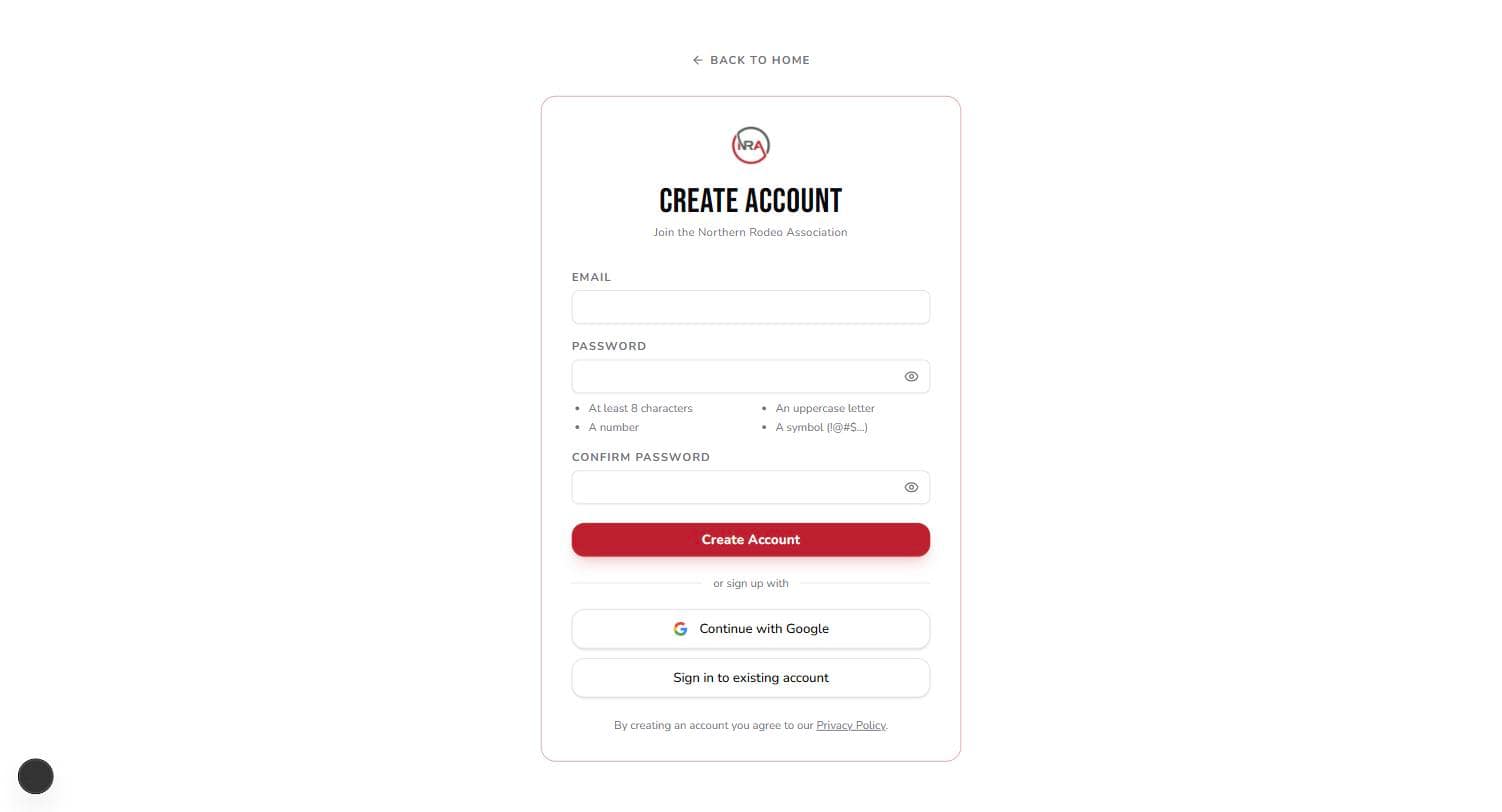
If the site says the email is linked to a previous account, check your inbox: you'll have a link to recover the old account instead of starting a new one, which keeps your member number and history.
Completing your profile
Right after signing up you'll be asked for the details the association needs before you can compete. Everything here is required except the member number:
- Name, gender, date of birth, phone — gender and date of birth are what event eligibility is checked against (women's events, junior events), so they need to be right.
- Address — where your cheques and mail go.
- Social Security Number — used only to report prize money to tax authorities. It's encrypted before it's stored, and only the last four digits are ever shown back to you. You can't enter a rodeo or buy a membership without one on file.
- Member number (optional) — if you already have an NRA member number from before this site existed, enter it and it stays yours. Leave it blank otherwise.
- "I am a rookie this season" — check this only if this is your first season competing with the NRA. It's a one-time declaration of a season, not a badge that follows you around: the year you declare is recorded, and it puts you in that year's rookie standings. You can't change it yourself afterwards — contact the office if it needs correcting.
One caution: the Cancel button on this page deletes the half-made account and signs you out. Use it only if you didn't mean to sign up.
Your member number
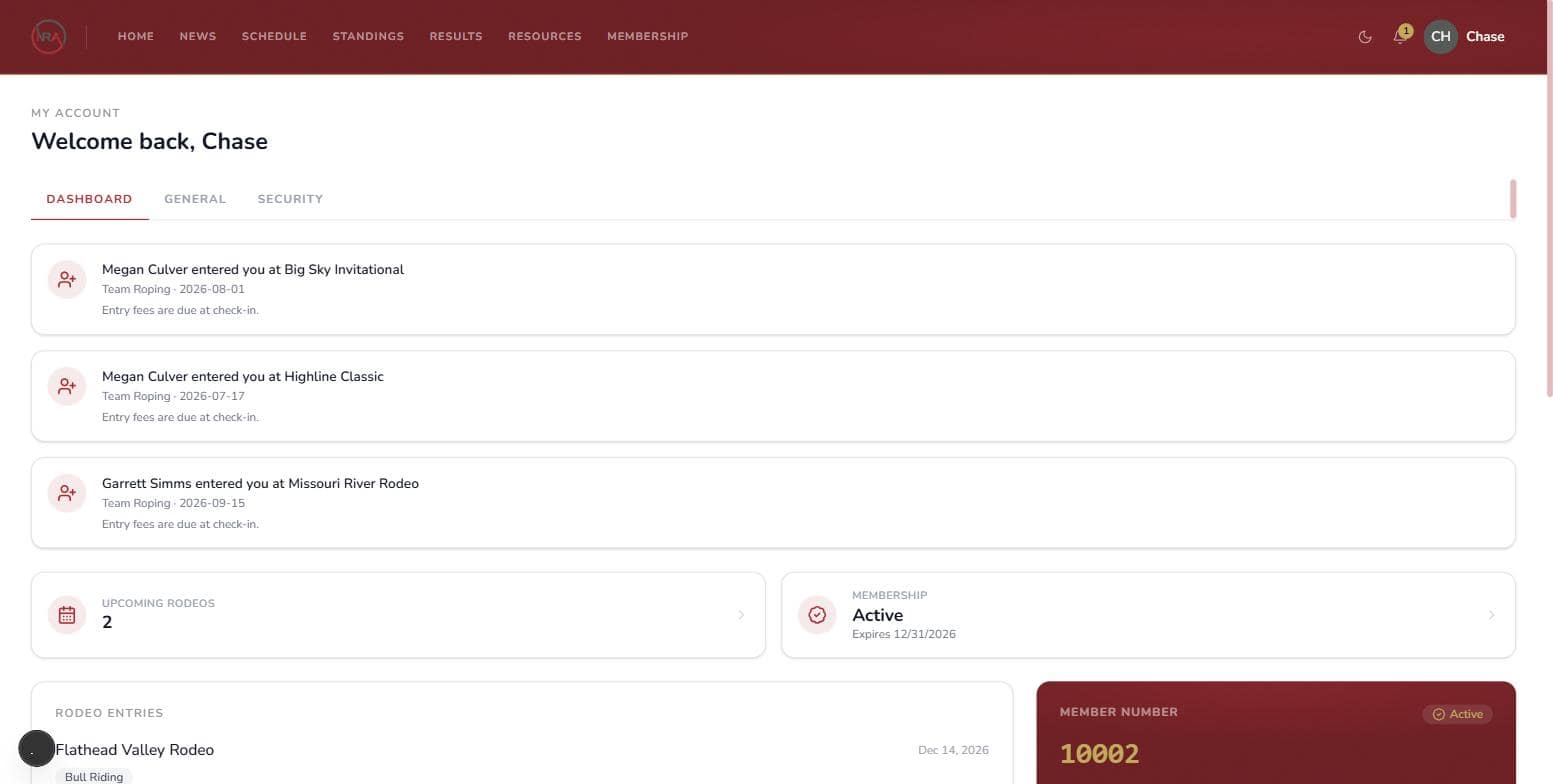
A member number is assigned when you buy your first membership, not at sign-up. It's yours for life — it never resets or changes from year to year. You'll find it on the dark card on your dashboard; share it with a partner so they can enter you in team events like Team Roping.
What you can and can't change yourself
From My Account you can:
- See your entries, membership, and fines on the Dashboard tab
- Turn email notifications on or off on the General tab (open-rodeo announcements, entry confirmations, results, team invites)
- Change your password on the Security tab
Your name, email, date of birth, gender, phone, and address are the association's record, so the office keeps them — there's no edit button on purpose. To have anything corrected, contact the office at northernrodeo@gmail.com or (406) 252-1122. Your SSN is write-once for the same reason: once it's on file, only the office can fix a wrong one.
Forgot your password?
Use Forgot password on the sign-in page. The reset link is emailed to you and expires in 30 minutes.
Deleting your account
Security → Delete Account permanently closes your account after a password check and a confirmation. Two things to know:
- For 30 days you can get it back — signing up again with the same email sends you a recovery link that restores your account, member number and history.
- Unpaid fines survive. An account with fines owing can only be recovered, never replaced with a fresh one.