
Member Guide
Entering a Rodeo
The entry form, performance preferences, team roping partners, and buddy groups.
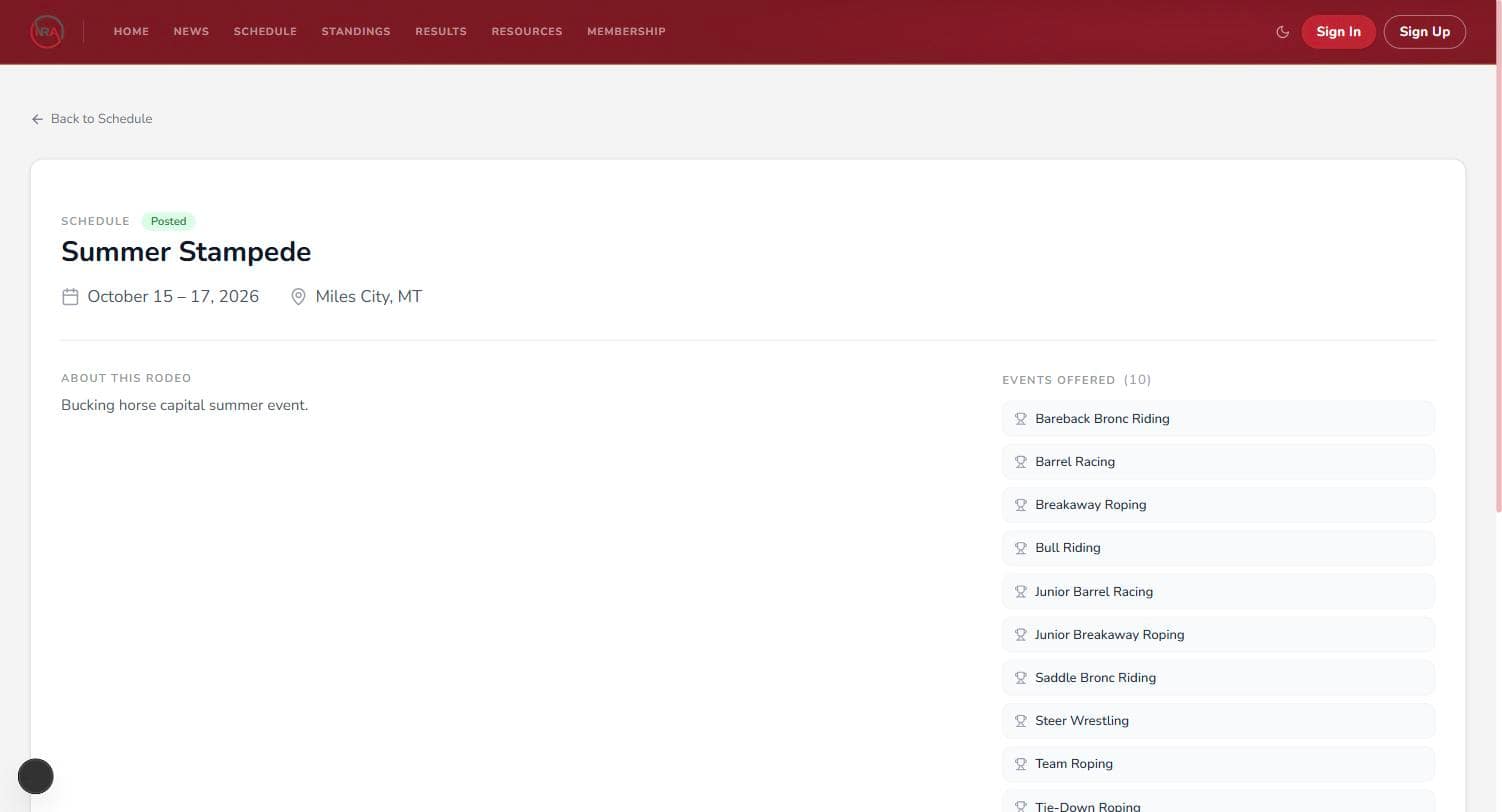
Find the rodeo on the Schedule, open it, and click Enter Events. This guide covers what you need before entering, how the form works, team roping, performance preferences, buddy groups, and withdrawing.
Before you can enter
Entry opens the moment a rodeo is posted to the schedule and stays open until the office closes it to build the draw. To enter you need:
- A complete profile with an SSN on file
- An active membership for the rodeo's year — a January rodeo needs next year's card, however early you enter
- No unpaid fines and no suspension on your account
If any of those is missing, the entry page tells you exactly which one and links you to where it's fixed.
Choosing your events
Every event the rodeo offers is listed with its entry fee and how many spots are left. Tick the ones you're entering. An event you can't enter stays visible but greyed out, with the reason on it — "Already entered", "No spots left", or a restriction like "This event is for women only" or "For contestants 14 and under on January 1" — so you can always see what's on the program even when it isn't yours.
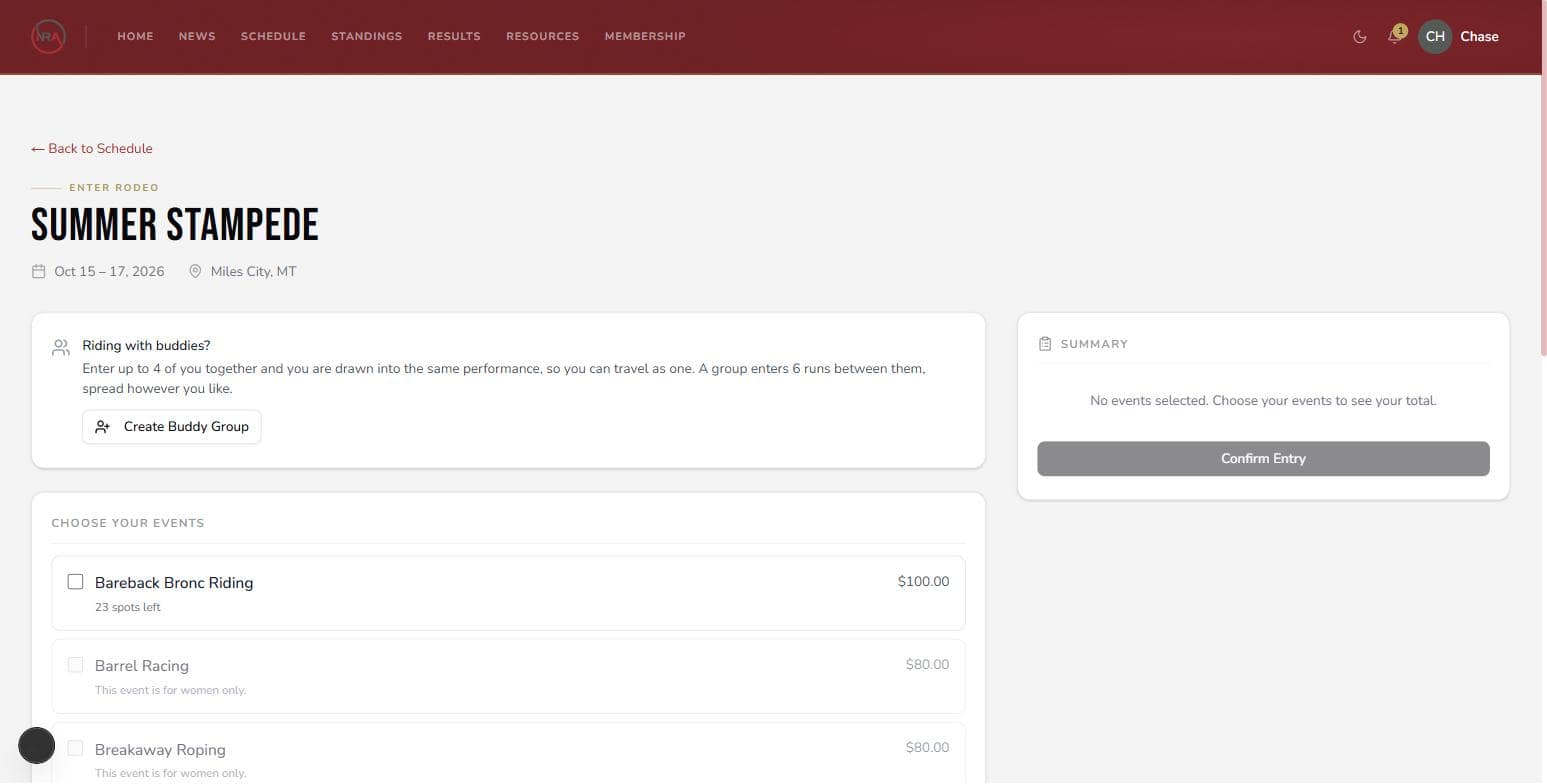
Nothing is charged online. The summary shows your per-event fees plus the rodeo's two flat charges (the rodeo fee and event fee, each billed once per rodeo however many events you enter), totalled as due at check-in — you pay at the rodeo office when you get there. Click Confirm Entry and you're entered; a confirmation email lists your events and what you'll owe.
Team roping: entering as a pair
Ticking a team event asks for your teammate — search by name or member number (they need an active membership for the season) — and which end you rope. Your teammate automatically takes the other end.
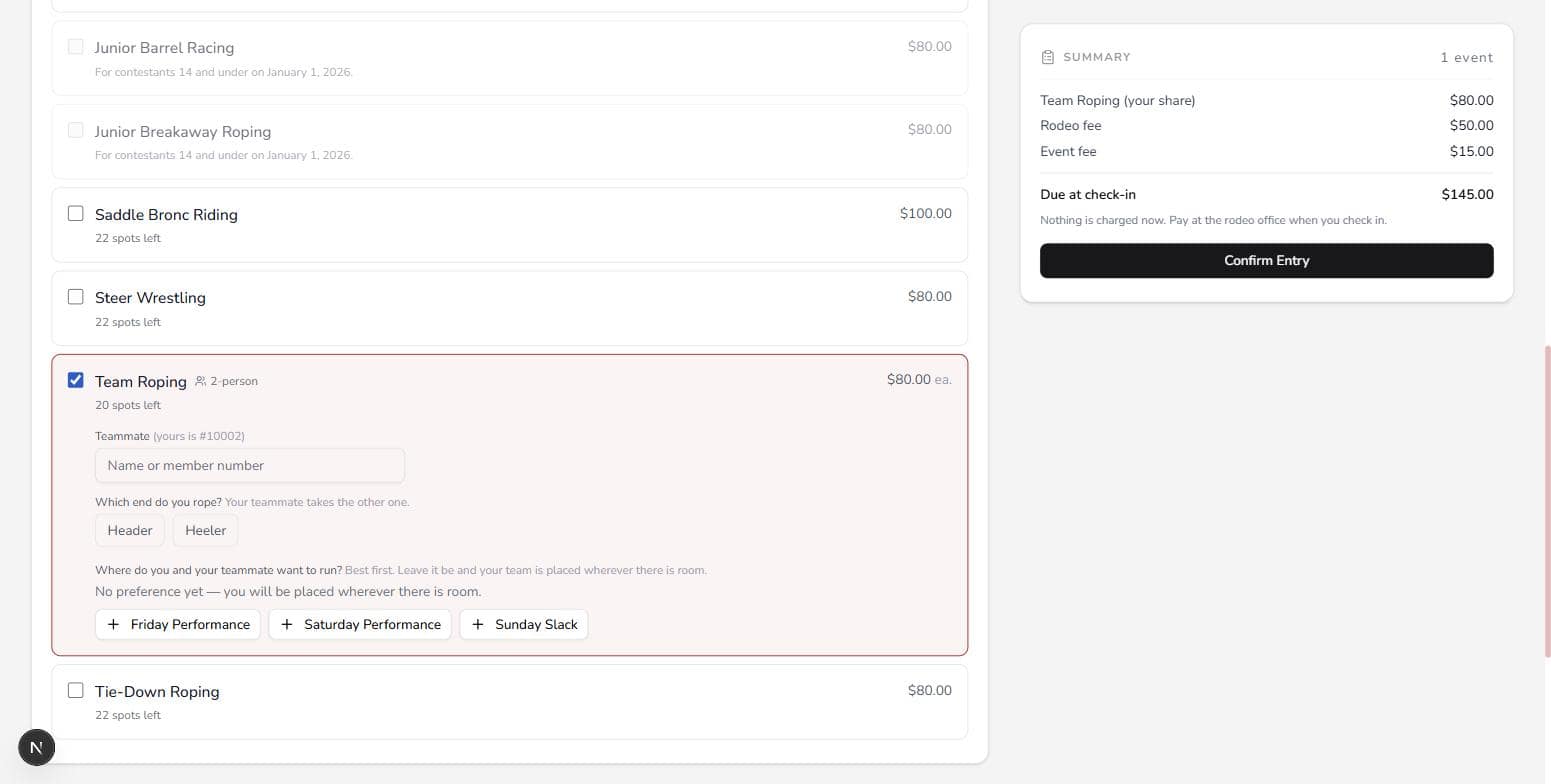
Entering a team enters both of you. Your partner isn't sent an invitation to accept — the entry is made for the pair on the spot, and they're notified by email and on their dashboard. So settle it over the phone first, and only one of you enters the team. A team runs once, asks for a performance once, and splits one cheque, with each of you ranked on your own end in the standings.
Performance preferences
A rodeo runs several sessions — Friday night, Saturday night, slack — and the draw seats you in one of them per event. When you enter, you can rank where you'd like to run: put your first choice at the top, add as many or as few as you like, and reorder with the arrows. Slack is a real choice like any other. Leave the ranking empty and you're simply placed wherever there's room.
Worth knowing:
- Preferences are per event — Saturday in barrels and Friday in breakaway is fine.
- Contestants entered in more of the weekend's rodeos get first call on what they asked for.
- A team's ranking is one ranking, set by whoever entered the pair; the other roper sees it read-only.
- You can change your ranking any time until the draw is generated — after that, preferences are locked.
Buddy groups: traveling together
Up to 4 of you can enter as a buddy group and be drawn into the same performance, so you travel as one. One member builds the group: names it, adds the buddies (they can't already be entered in this rodeo), picks each person's events, and sets one shared performance ranking for everybody.
The group shares 6 runs between them, spread however you like — a team roping counts as one run for the group, even with two of you in it. Each contestant still pays their own fees at check-in. Once the group is entered, changing anyone's events means the group withdrawing and entering together again.
After you're entered
Your events show under Your entries on the rodeo's entry page, and on your dashboard under Rodeo Entries. When the office finalizes the draw you'll get an email with your run order, and the rodeo's page shows Your Run Order along with any messages from the rodeo office.
Withdrawing
Each entry has a Withdraw button while entries are still open. Withdrawing from a team event drops both ropers — a team is one run. Once entries close, the office is already building the draw from the field, so a scratch goes through them instead: contact the rodeo office.