Member Guide
Fines
Where to see a fine, how to pay it, and what an unpaid one blocks.
Fines are issued by the association office and live on your account until they're paid. This guide covers where to find them, how to pay, and what an unpaid fine stops you doing.
Where your fines are
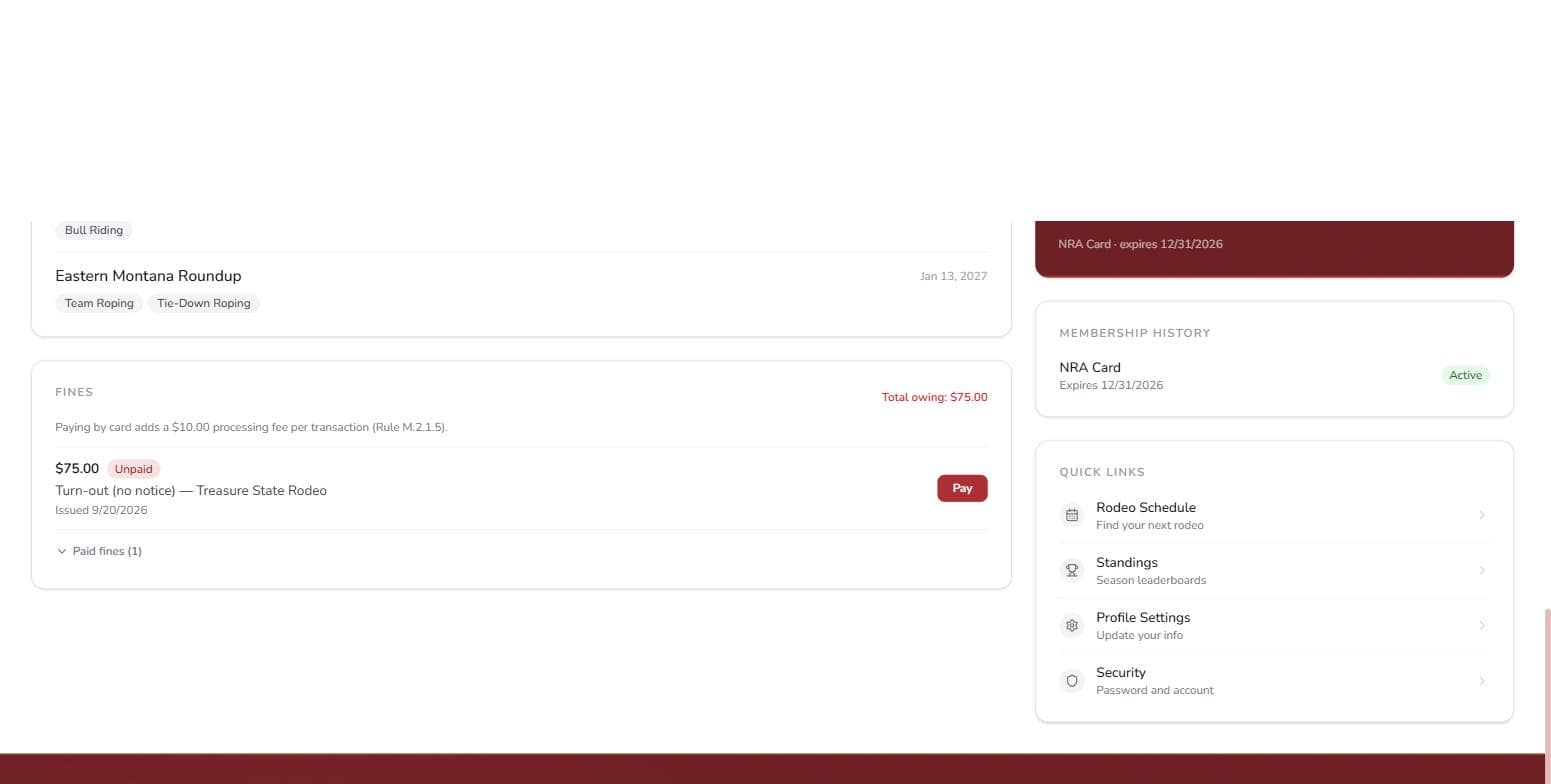
The Fines card on your dashboard lists every fine with its amount, the reason, and when it was issued. Anything owed shows as a red Total owing figure at the top; paid fines tuck away behind a "Paid fines" toggle.
Paying a fine
Click Pay on the fine. You'll be taken to a secure Stripe checkout page to pay by card, and the fine is marked paid the moment the payment lands — you'll get a receipt by email.
Card payments carry a $10.00 processing fee per transaction (Rule M.2.1.5), shown before you pay. If you'd rather not pay the card fee, the office can take payment directly — contact them at northernrodeo@gmail.com or (406) 252-1122.
What an unpaid fine blocks
Until every fine is paid:
- You can't enter a rodeo. The entry page will tell you: "You have outstanding fines. Please pay your fines before entering."
- You can't buy a membership. The membership page's purchase button is disabled with the same message.
And no, closing your account doesn't shake a fine loose — an account with fines owing can only ever be recovered, never replaced with a fresh one.
If you believe a fine was issued in error, contact the office — fines are issued and corrected there, not on the site.